Mastering Shipping Point Determination & Outbound Deliveries in SAP SD
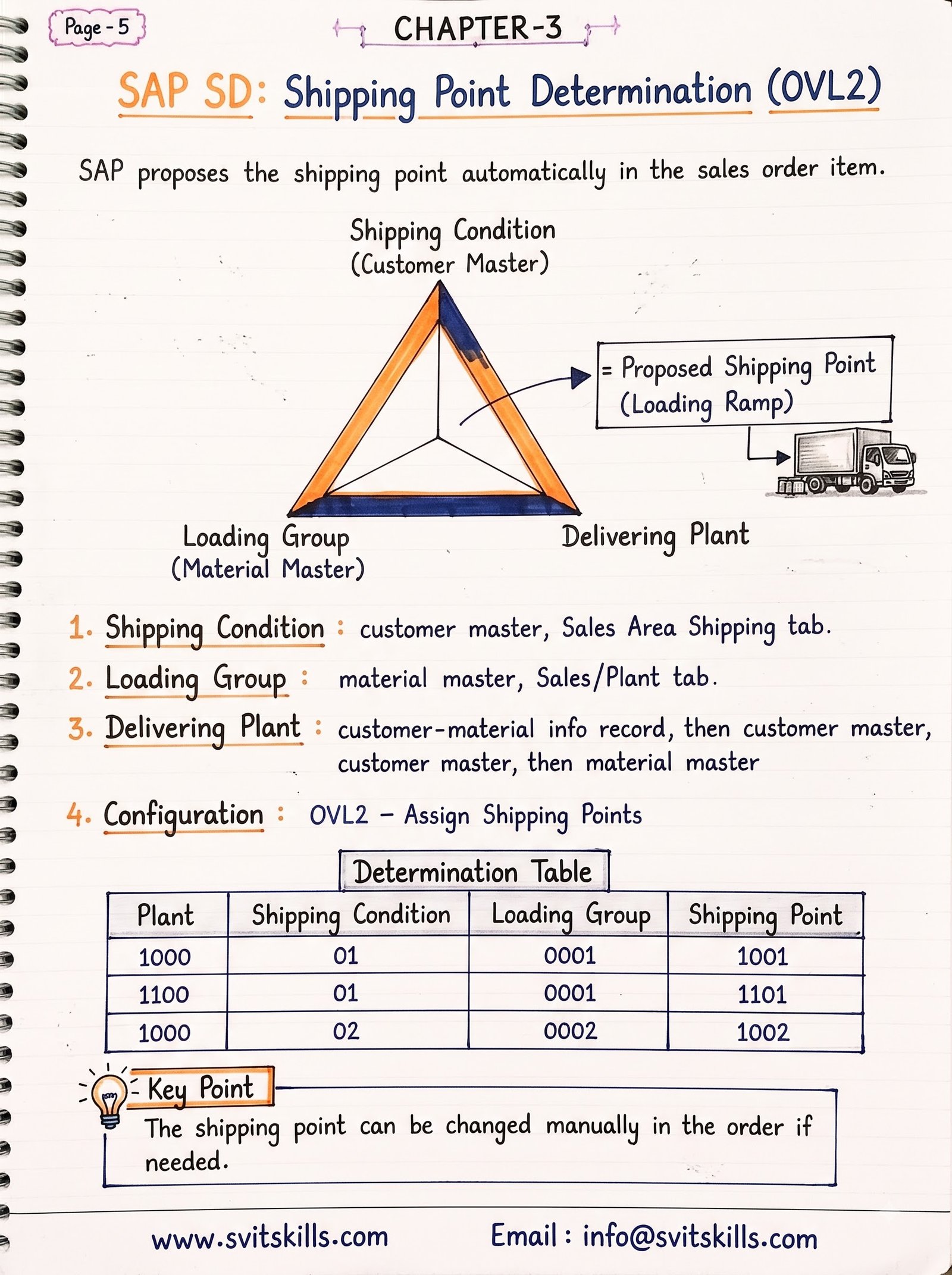
In SAP SD, a sales order line item cannot be delivered without a valid Shipping Point. The shipping point represents the physical loading ramp or department responsible for picking, packing, and dispatching outgoing goods.
The Core 3-Factor Determination Rule
Configured in transaction OVL2, the system automatically determines the Shipping Point using three distinct master data inputs:
- 1. Shipping Condition: Maintained in the Customer Master / Business Partner (FLCU01 sales view) or overridden at the document header (e.g., 01 – Standard, 02 – Express).
- 2. Loading Group: Maintained in the Material Master Sales: General/Plant view (e.g., 0001 – Crane, 0002 – Forklift, 0003 – Manual).
- 3. Delivering Plant: Determined from Customer-Material info record, Customer Master, or Material Master.
Interview Question & Answer (Scenario Based)
Question: An order item has a valid Plant and Material, but the system displays the error ‘Shipping point cannot be determined’. How do you resolve this?
Answer: Check transaction OVL2. Verify that an entry exists combining the specific Shipping Condition (from customer), Loading Group (from material), and Delivering Plant. If the combination is missing, configure the record and assign the appropriate default shipping point.
Professional Communication Tip
When presenting logistics issues during UAT (User Acceptance Testing), communicate root cause clearly: ‘The express shipping condition requested for this client was not mapped to our loading dock rules, which we are updating in OVL2 now.’